
Generating leads is only the beginning of the customer-acquisition process.
Many UAE businesses invest in SEO, Google Ads, Meta advertising and social media campaigns but still lose valuable opportunities because their lead-management process is slow or disconnected.
A potential customer may submit a website form, complete a Facebook or Instagram lead form, call the company or send a WhatsApp message. However, the enquiry may remain in an email inbox, spreadsheet or advertising dashboard until someone manually checks it.
During this delay, the customer may contact another business.
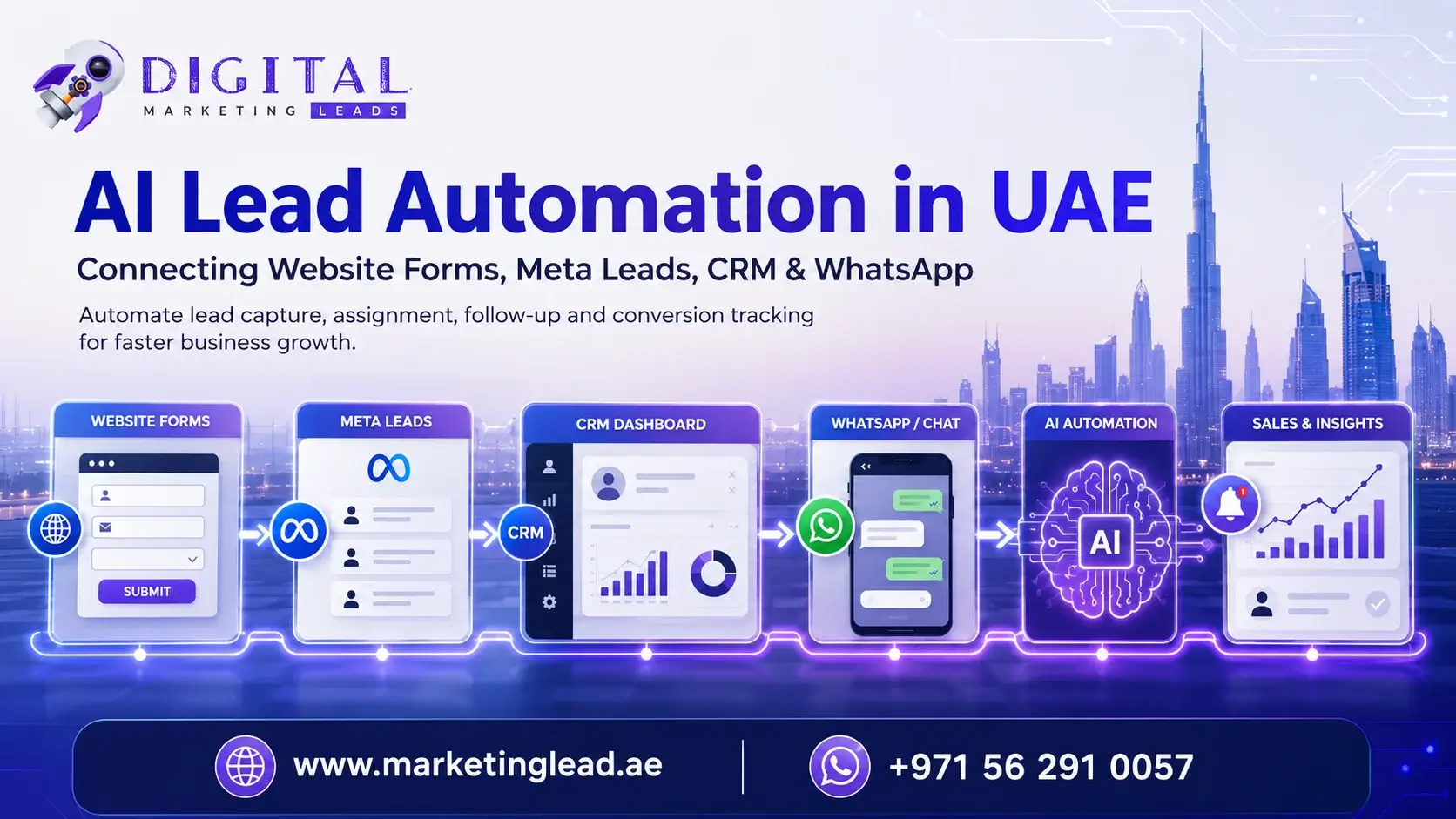
AI lead automation helps connect your marketing channels, website, CRM, WhatsApp and sales team so enquiries can be captured, organized, assigned and followed up more efficiently.
Marketing Lead provides API integration services in Dubai for websites, CRMs, Meta lead forms, WhatsApp systems, payment platforms, applications and business automation. Its services also combine AI development, web development, SaaS development and digital marketing.
This guide explains how UAE businesses can create an automated lead-management system that connects:
- Website enquiry forms
- Google Ads campaigns
- Facebook and Instagram lead forms
- CRM platforms
- WhatsApp communication
- Email notifications
- Sales representatives
- AI lead qualification
- Follow-up reminders
- Performance dashboards
What Is AI Lead Automation?
AI lead automation is the use of connected software, APIs and automated workflows to manage leads with less manual work.
A basic automated workflow might look like this:
Advertisement ? landing page ? enquiry form ? CRM ? salesperson assignment ? WhatsApp notification ? follow-up reminder
A more advanced AI-supported workflow may also:
- Analyse the customer’s message
- Identify the required service
- Estimate the lead’s intent
- Check the customer’s location
- Categorize the lead
- Assign it to the appropriate employee
- Suggest a response
- Create a follow-up task
- Record the advertising source
- Update a reporting dashboard
The objective is not to remove people from the sales process.
The objective is to reduce repetitive administrative work so the team can respond faster and focus on meaningful customer conversations.
Why UAE Businesses Need Lead Automation
Customers in Dubai and across the UAE frequently contact businesses through several channels.
These may include:
- Google Search
- Website forms
- Facebook advertisements
- Instagram advertisements
- TikTok campaigns
- Phone calls
- Google Business Profile
- Property portals
- Booking platforms
- Ecommerce websites
When these channels are disconnected, lead information becomes difficult to manage.
Common problems include:
- Leads remaining inside Meta Ads Manager
- Website forms being sent only by email
- Salespeople receiving duplicate enquiries
- No record of the advertising campaign
- Slow WhatsApp responses
- Leads being assigned to the wrong employee
- No follow-up after the first call
- Different teams contacting the same customer
- No visibility into the sales status
- Marketing reports showing forms but not sales
An automated system creates one structured process for collecting and managing enquiries.
The Complete AI Lead-Automation Workflow
A practical lead-management system can contain the following stages.
1. Generate Targeted Traffic
Potential customers may reach your business through:
- SEO services in Dubai
- Google Ads PPC campaigns
- Meta advertising
- Instagram marketing
- TikTok advertising
- Google Business Profile
- Referral campaigns
- Email marketing
SEO can support sustainable organic visibility, while PPC can reach customers actively searching for a service. Your website and landing pages must then convert that traffic into measurable enquiries.
Marketing Lead currently provides SEO, Google Ads PPC, social media marketing, web development, API integration, CRO and lead-generation services as connected digital-growth solutions.
2. Capture the Enquiry
The customer may contact the business through:
- Website form
- Landing-page form
- Meta instant form
- Telephone
- Appointment form
- Chatbot
- Ecommerce checkout
- Mobile application
- Property enquiry
- Booking request
Every lead source should collect enough information to begin the sales conversation.
A basic form may include:
- Full name
- Phone number
- Email address
- Required service
- Message
A more focused form may include industry-specific questions.
Real Estate Form
- Preferred location
- Property type
- Budget
- Purchase timeframe
- Investor or end-user
Website Development Form
- Website type
- Required features
- Approximate budget
- Target launch date
- Existing website address
Business Setup Form
- Mainland or free zone
- Business activity
- Number of visas
- Current location
- Expected setup date
Do not make the form unnecessarily long. Each question should have a clear purpose.
3. Transfer the Lead into a CRM
The form should send the customer’s information directly into a customer relationship management system.
This can happen through:
- Native integration
- Webhook
- CRM API
- Custom middleware
- Automation platform
- Custom backend development
A properly configured CRM record can include:
- Customer details
- Lead source
- Campaign name
- Advertisement
- Landing page
- Required service
- Preferred location
- Budget
- Assigned salesperson
- Lead status
- Follow-up date
- Notes
- Conversation history
Marketing Lead’s API integration services specifically include CRM and lead integration, field mapping, duplicate prevention, salesperson assignment and automated follow-up actions.
4. Remove Duplicate Leads
The same customer may:
- Submit two forms
- Complete a Meta form and visit the website
- Call after sending a WhatsApp message
- Enquire about several services
- Return through a remarketing campaign
Without duplicate detection, the CRM may create several separate records.
Duplicate prevention can compare:
- Phone number
- Email address
- WhatsApp number
- External lead ID
- Customer ID
Instead of creating another record, the system can update the existing customer profile and record the new interaction.
This helps prevent several employees from contacting the same prospect.
5. Assign the Lead Automatically
Lead assignment should follow clear business rules.
A lead may be assigned based on:
- Service requested
- Customer location
- Language
- Property project
- Product category
- Budget
- Salesperson availability
- Lead source
- Working hours
- Existing customer relationship
For example:
- Arabic enquiry ? Arabic-speaking representative
- Website project ? development consultant
- SEO enquiry ? digital marketing consultant
- Property enquiry ? relevant broker
- Abu Dhabi customer ? Abu Dhabi sales team
- Existing customer ? original account manager
Assignment can also use round-robin distribution so new enquiries are shared fairly among available representatives.
6. Notify the Sales Team Immediately
After assignment, the employee should receive an immediate notification.
Notifications may be sent through:
- CRM application
- SMS
- Mobile application
- Slack or Microsoft Teams
- Internal dashboard
A useful notification may include:
New Google Ads Lead
Name: Ahmed
Service: Website Development
Budget: AED 15,000–25,000
Source: Google Search
Assigned to: Sales Representative 2
Contact within: 10 minutes
The notification should contain enough information for the employee to understand the enquiry before contacting the customer.
Connecting Meta Lead Forms with Your CRM
Facebook and Instagram instant forms allow users to submit their information without leaving the platform.
However, leads should not remain inside Meta’s dashboard waiting for manual download.
A Meta Leads API integration can automatically:
- Receive the new form submission.
- Validate the submitted information.
- Check for an existing customer.
- Create or update a CRM record.
- Record the campaign and advertisement.
- Assign the lead.
- Notify the salesperson.
- Begin the follow-up workflow.
Marketing Lead supports Meta lead-form integration with CRMs, source tracking, salesperson assignment and WhatsApp alerts through its custom API integration services.
Information to Store from Meta Leads
Store more than the customer’s name and number.
Useful fields include:
- Meta lead ID
- Form name
- Campaign name
- Advertisement name
- Ad set
- Submission time
- Selected service
- Customer answers
- Assigned salesperson
- Lead status
- First-response time
This information helps the marketing team determine which campaigns produce qualified customers.
Connecting Website Forms with Your CRM
Many websites send form submissions only to an email address.
This creates several risks:
- Email may enter spam.
- The recipient may not check the inbox.
- No employee is assigned.
- No follow-up task is created.
- The advertising source is lost.
- The lead cannot be tracked easily.
A properly developed website can transfer submissions directly into the CRM.
Marketing Lead provides website development services in Dubai for modern, responsive and conversion-focused business websites, landing pages and custom web solutions. Its web-development service includes landing pages designed for advertising and lead generation.
Website Form Integration Process
The form can:
- Validate the fields.
- Block obvious spam.
- Capture the page URL.
- Record campaign tracking parameters.
- Send the information to the CRM.
- Show a confirmation message.
- Send an acknowledgement to the customer.
- Notify the salesperson.
- Create a follow-up task.
- Record the conversion.
Recommended Tracking Fields
Add hidden fields for:
- UTM source
- UTM medium
- UTM campaign
- UTM content
- UTM term
- Landing-page URL
- Referring website
- Google Click ID where appropriate
- Meta identifiers where appropriate
These fields help connect the final customer with the original marketing campaign.
Using WhatsApp in Lead Automation
WhatsApp is often an important communication channel for UAE businesses.
A customer may prefer WhatsApp because it is fast and convenient. However, an unstructured WhatsApp process can create difficulties when:
- Messages are stored on one employee’s phone.
- The company cannot see the conversation.
- Leads are not added to the CRM.
- Customers receive inconsistent responses.
- Follow-up is forgotten.
- An employee leaves the company.
A structured WhatsApp integration can connect conversations with the customer’s CRM record.
WhatsApp Automation Can Support
- New-lead alerts
- Enquiry confirmations
- Appointment reminders
- Quotation notifications
- Document requests
- Property brochure delivery
- Booking confirmation
- Follow-up reminders
- Customer-support routing
- Salesperson assignment
Example Confirmation Message
Thank you for contacting Marketing Lead. We have received your enquiry about website development. A consultant will contact you shortly. For urgent assistance, call +971 56 291 0057.
The first message should confirm receipt and explain what happens next.
Avoid sending excessive automated messages or irrelevant promotions.
How AI Can Qualify Leads
Traditional automation follows fixed rules.
AI can add another layer by evaluating unstructured information such as the customer’s message.
For example, a customer may write:
I need a new ecommerce website connected with my inventory and payment system. I want to launch within two months.
An AI-supported workflow may identify:
- Service: Ecommerce website development
- Integration need: Inventory and payment gateway
- Timeline: Two months
- Lead intent: High
- Recommended team: Web development
- Suggested next step: Consultation call
AI Lead-Qualification Signals
AI may review:
- Customer message
- Selected service
- Budget
- Location
- Timeline
- Previous interactions
- Website pages viewed
- Campaign source
- Form completeness
- Engagement history
The system can then categorize the lead as:
- High priority
- Medium priority
- Early research
- Existing customer
- Incomplete information
- Possible spam
AI scoring should support employees rather than make irreversible customer decisions without human review.
AI-Generated Response Assistance
AI can help prepare a relevant first response based on the lead’s requirements.
For example:
Hello Ahmed, thank you for contacting Marketing Lead regarding an ecommerce website with inventory and payment integration. Our development team can review your required products, payment gateway, inventory workflow and target launch date. Are you available for a consultation today at 3:00 p.m. or 5:00 p.m.?
The employee can review and approve the message before sending it.
This can improve response consistency while keeping a human involved.
Marketing Lead’s AI development services in Dubai combine AI workflows, API integration, web development and business automation around practical operational requirements.
Automated Follow-Up Workflows
Many leads do not convert after one message or call.
A structured follow-up process can create reminders based on the lead’s status.
Example Follow-Up Sequence
Immediately:
Send confirmation and assign the salesperson.
After 10 minutes:
Alert the salesperson if no contact attempt is recorded.
After 24 hours:
Create a follow-up task if the customer has not replied.
After three days:
Send a helpful message, guide or relevant service information.
After seven days:
Ask whether the customer still needs assistance.
After 30 days:
Move the lead into a long-term nurturing audience when appropriate.
The timing should reflect the service.
An emergency home-service enquiry requires immediate contact. A high-value software project may require a longer consultation and proposal process.
Lead Statuses Every CRM Should Have
A clear status system helps teams understand what is happening with each enquiry.
Recommended statuses include:
- New
- Assigned
- Contact attempted
- Contacted
- Qualified
- Appointment scheduled
- Quotation sent
- Negotiation
- Won
- Lost
- Follow up later
- Invalid or spam
Avoid allowing every employee to create different status names.
A consistent structure improves reporting.
Connecting Google Ads with Sales Outcomes
Google Ads may report a form submission as a conversion, but the form may not become a customer.
Your CRM should connect the advertising source with the final sales result.
This allows your business to compare:
- Total leads
- Contactable leads
- Qualified leads
- Appointments
- Quotations
- Closed sales
- Revenue
- Cost per qualified lead
- Customer acquisition cost
Marketing Lead provides Google Ads PPC services in Dubai focused on search intent, conversion tracking, landing-page quality and lead generation.
Example
Campaign A produces:
- 100 leads
- 15 qualified leads
- 2 customers
Campaign B produces:
- 40 leads
- 20 qualified leads
- 7 customers
Campaign A has more leads, but Campaign B creates more business value.
Your advertising decisions should therefore use CRM and sales information—not only the number of forms.
Connecting SEO with Lead Automation
SEO traffic should also be tracked through the same lead-management process.
A customer may discover your company through:
- Service page
- Blog article
- Local search result
- Google Business Profile
- Industry guide
- Comparison article
When the customer submits a form, the CRM should record the page and source.
This can help identify:
- Which SEO pages generate enquiries
- Which blog topics assist conversions
- Which services receive organic demand
- Which pages attract qualified prospects
- Which content deserves further investment
SEO brings visitors into the customer journey, while lead automation helps manage what happens after they enquire.
Lead Automation for Different UAE Industries
Real Estate
A real estate workflow can:
- Receive portal and website leads
- Identify the property or project
- Assign the correct agent
- Detect duplicate buyers
- Send a brochure
- Create a viewing reminder
- Record the customer’s budget
- Track the enquiry source
- Update the sales status
Car Rental
A car-rental workflow can:
- Capture vehicle preference
- Record rental dates
- Check customer location
- Assign the enquiry
- Send availability details
- Request licence documents
- Schedule delivery
- Record booking status
Business Setup
A company-formation workflow can:
- Identify mainland or free-zone interest
- Record the business activity
- Collect visa requirements
- Assign a consultant
- Schedule a consultation
- Request required documents
- Track proposal status
Immigration Services
An immigration workflow can:
- Identify destination country
- Record visa category
- Collect basic eligibility information
- Assign the appropriate consultant
- Schedule an assessment
- Record document status
- Track the consultation outcome
Home Services
A home-service workflow can:
- Identify the required service
- Ask for photographs
- Detect the customer’s location
- Assign a technician
- Schedule a visit
- Send an appointment reminder
- Record the quotation and job status
Digital Marketing and Development
A marketing-agency workflow can:
- Identify SEO, PPC, website or API requirements
- Capture the customer’s website
- Record budget and timeline
- Assign the right specialist
- Schedule a strategy call
- Create proposal reminders
- Track project status
Using SaaS Platforms for Lead Management
Some businesses need more than a standard CRM.
They may require a custom platform containing:
- Admin dashboard
- Salesperson accounts
- Role-based permissions
- Lead assignment
- Campaign reporting
- WhatsApp integration
- Follow-up reminders
- Quotation tracking
- Document management
- Performance dashboards
- Customer portals
Marketing Lead provides SaaS application development services combining web development, API integration, AI development and business-focused software workflows.
A custom SaaS system may be appropriate when:
- Existing CRMs cannot support the workflow.
- Several business platforms must be connected.
- The company needs custom roles and permissions.
- Industry-specific features are required.
- Management needs specialized reporting.
- The business plans to offer the platform to other companies.
Mobile Applications and Lead Automation
Businesses with field teams, agents or mobile salespeople may also need an application.
A mobile app can allow employees to:
- Receive new-lead notifications
- Call customers
- Open WhatsApp
- Update statuses
- Add notes
- Schedule follow-ups
- Upload documents
- View assigned leads
- Check appointments
- Record sales results
Marketing Lead’s app development services support mobile applications connected with websites, CRMs, APIs, payment platforms, booking systems and AI tools.
Lead-Automation Security Requirements
Lead systems handle customer information and should be developed carefully.
Important controls include:
- Secure API authentication
- Encrypted connections
- Role-based access
- Strong passwords
- Login monitoring
- Data validation
- Activity logs
- Backup procedures
- Error reporting
- Access removal for former employees
- Limited visibility for sensitive information
Do not expose private API keys in public website code.
Only authorized employees should have access to customer records.
Businesses should also establish appropriate privacy notices, data-retention processes and consent procedures based on their legal and operational requirements.
Common Lead-Automation Mistakes
Automating a Broken Sales Process
Automation cannot fix unclear responsibilities.
Define who owns each lead, how quickly it should be contacted and what statuses should be used before building the workflow.
Creating Too Many Automatic Messages
Customers should not receive repeated or irrelevant messages.
Automation should support useful communication, not spam.
Failing to Handle Errors
APIs can fail, tokens can expire and platforms can change.
The system should include:
- Error logs
- Retry rules
- Failure alerts
- Manual backup procedures
- Integration monitoring
Ignoring Duplicate Leads
Duplicate records create confusion and inaccurate reporting.
Use phone numbers, email addresses and external lead IDs to identify existing customers.
Recording Leads Without Their Source
Every record should show where the customer came from.
Without source tracking, the company cannot properly evaluate SEO, PPC or social campaigns.
Measuring Only Lead Volume
A high number of leads does not guarantee revenue.
Track qualified leads, appointments, proposals and customers.
Removing Human Review Completely
AI-generated scores and messages can be incorrect.
Employees should review important decisions, quotations and customer communication.
Building Too Many Features at Once
Start with the essential workflow:
- Capture.
- Transfer.
- Assign.
- Notify.
- Follow up.
- Report.
Additional AI and automation features can be added after the basic process works reliably.
How to Plan a Lead-Automation Project
Step 1: Map Your Current Process
Document:
- Where leads originate
- Where they are currently stored
- Who receives them
- How they are assigned
- How follow-up happens
- Which reports are available
- Where leads are being lost
Step 2: Define the Required Workflow
Decide:
- Which systems need to connect
- Which fields need to be transferred
- How duplicates should be handled
- Which salesperson receives each lead
- Which notifications should be sent
- Which follow-up rules should be created
- Which results must be reported
Step 3: Review API Access
Confirm whether each platform provides:
- API documentation
- Authentication credentials
- Webhooks
- Rate limits
- Test environment
- Required permissions
- Data fields
Some systems may require custom middleware when they cannot connect directly.
Step 4: Build and Test
Test:
- Valid submissions
- Missing information
- Duplicate customers
- Assignment rules
- Notifications
- Failed requests
- Expired credentials
- CRM updates
- Mobile behaviour
- Reporting data
Step 5: Train the Sales Team
Employees should understand:
- How new leads appear
- How to update statuses
- How to add notes
- How to schedule follow-ups
- How to report invalid leads
- How to record a sale
- When to use manual escalation
Step 6: Improve Based on Results
Review:
- Response time
- Contact rate
- Qualified lead rate
- Appointment rate
- Sales rate
- Automation failures
- Employee feedback
- Customer feedback
Automation should be improved using real operational information.
Important Lead-Automation Metrics
Track the following:
Lead Response Time
How long does it take for the first human contact attempt?
Contact Rate
What percentage of leads can be reached?
Qualification Rate
What percentage matches your customer criteria?
Appointment Rate
How many qualified leads schedule a meeting or consultation?
Proposal Rate
How many leads receive a quotation or proposal?
Sales Conversion Rate
How many leads become paying customers?
Cost per Qualified Lead
How much marketing spend is required to create a relevant opportunity?
Customer Acquisition Cost
How much does it cost to acquire a customer after marketing and sales expenses?
Source-to-Sale Performance
Which campaigns, advertisements and website pages produce customers?
AI Lead-Automation Checklist
Before launching your workflow, confirm that:
- Every lead source is identified.
- Website forms submit correctly.
- Meta leads transfer automatically.
- CRM fields are mapped correctly.
- Duplicate detection is active.
- Assignment rules are documented.
- Sales notifications work.
- WhatsApp messaging is appropriate.
- Follow-up tasks are created.
- Conversion sources are stored.
- Employees can update lead statuses.
- Errors produce alerts.
- Access permissions are controlled.
- Sales outcomes are reported.
- The system has been tested with real scenarios.
Build a Connected Digital Growth System
Successful digital marketing is not only about generating traffic.
Your SEO, Google Ads, social media campaigns, website, APIs, CRM, WhatsApp communication and sales process should work together.
Marketing Lead helps UAE businesses create connected digital systems through:
- Digital marketing services in Dubai
- SEO services in Dubai
- Google Ads PPC services
- Website development services
- API integration services
- AI development services
- SaaS application development
- Conversion rate optimization
The objective is to create one measurable process:
Attract the customer ? capture the enquiry ? transfer the data ? assign the lead ? follow up quickly ? record the result ? improve the campaign
Request a free automation and digital-growth consultation or call and WhatsApp +971 56 291 0057.
Marketing Lead’s current contact page accepts enquiries for SEO, Google Ads, website development, app development, AI development, SaaS development, API integration and conversion optimization.
Frequently Asked Questions
What is AI lead automation?
Can website forms connect directly to a CRM?
Can Facebook and Instagram leads enter a CRM automatically?
Can lead automation send WhatsApp notifications?
Can AI qualify leads automatically?
How can automation prevent duplicate leads?
Does a small business need lead automation?
Can Google Ads be connected with CRM sales data?
What is the difference between CRM integration and API integration?
Can Marketing Lead build a custom lead-management platform?
Need stronger rankings and qualified leads?
Get a Dubai-focused SEO and performance marketing plan for your business.
Get Free Consultation